What Pages Should a Concrete Contractor Website Have?
A concrete contractor website should have focused pages for driveways, patios, slabs, repair, decorative concrete, commercial work, service areas, project proof, reviews, pricing context, FAQs, and estimates so local buyers can quickly judge the fit.
The direct answer
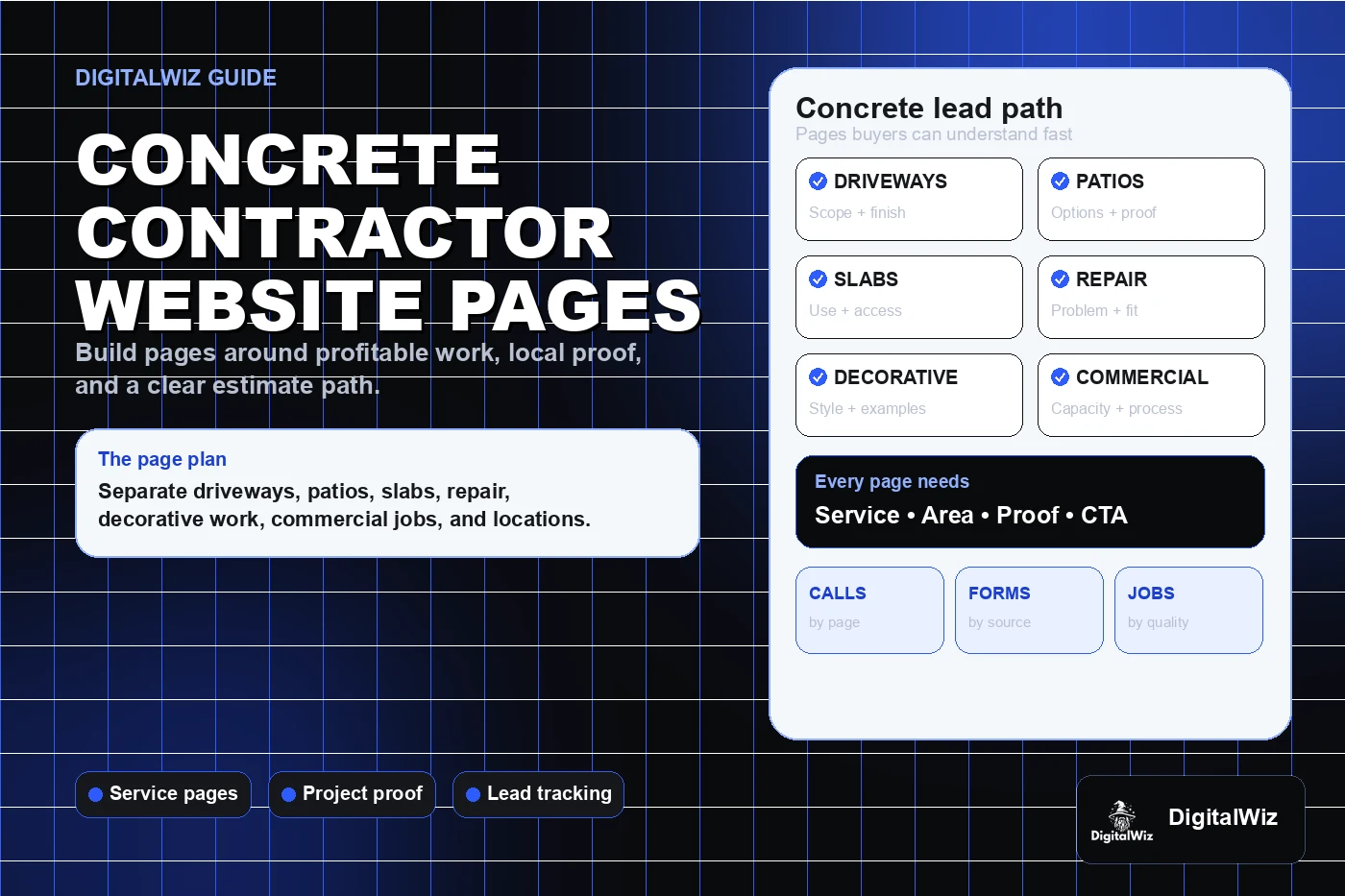
A concrete contractor website should have focused pages for the work customers actually compare: driveways, patios, walkways, slabs and foundations when offered, concrete repair, resurfacing, decorative or stamped concrete, commercial work, service areas, project proof, reviews, pricing context, FAQs, and estimates. One broad services page usually leaves too much unexplained.
For a Charlotte or NC concrete company, the structure should separate projects with different buyers, scopes, equipment, finishes, and site conditions. A cracked driveway replacement is not the same decision as a stamped patio, warehouse slab, foundation pour, pool deck, sidewalk repair, or commercial loading area. The page should make that distinction before somebody calls.
Keep the plan practical: give each profitable service a useful page, show real matching work, explain the estimate process, state the actual service area, and make the next step easy on a phone. That gives the website, Search Visibility, and Paid Ads Management a solid foundation instead of sending every visitor to the homepage.
- Build separate pages for the concrete services the company wants more of.
- Match project proof, reviews, process details, and FAQs to the service being sold.
- Explain service area, site access, estimate steps, and cost factors in plain language.
- Track calls, forms, estimate requests, landing pages, project type, and lead quality.
Start with the concrete work people are ready to buy
Start with revenue, not menu filler. For many residential contractors, the core pages are concrete driveways, patios, walkways and steps, garage or shed slabs, pool decks, concrete repair, resurfacing, and decorative finishes. A company that pours foundations, retaining walls, curb and gutter, parking areas, warehouse floors, or other commercial work may need a separate section built for general contractors, developers, property managers, or business owners.
Each page should answer the buyer's first questions fast: do you handle this type of pour or repair, do you work in my area, can I see similar projects, what affects the estimate, how do you prepare the site, and what happens after I reach out? A list of twenty concrete services confirms very little about capability or fit.
Build these money pages before publishing dozens of loosely related articles. Service pages and blog posts have different jobs in local SEO. Articles can answer early research questions, but the service page needs to carry the actual project conversation.
- Driveway page: replacement versus overlay, removal, base preparation, drainage, finish, joints, access, and project proof.
- Patio and decorative page: layout, finish options, color, borders, steps, sealing, maintenance, and examples.
- Slab or foundation page: intended use, thickness and reinforcement factors, access, grading, utilities, inspection, and scheduling.
- Repair page: cracks, settlement, spalling, trip hazards, patching limits, replacement fit, and assessment process.
Show proof that matches the pour
Concrete is visual, but a clean finished slab does not tell the whole story. Buyers also care about demolition, excavation, base preparation, forms, reinforcement, drainage, control joints, finish consistency, cleanup, and how the new work meets the existing property. When permission allows, show enough of the process to make the result believable.
Put the right proof on the right page. A driveway visitor should see driveways with useful context, not a random patio gallery. A decorative-concrete page should identify the finish or style without pretending every color will look identical. Commercial buyers may care more about capacity, scheduling, site coordination, safety, documentation, and similar completed scopes.
A central gallery can still work as a browsing hub. Organize it by project type, then link each example back to the relevant service and estimate path. Recent contractor projects strengthen a website when the work is real, permission-safe, labeled clearly, and connected to a decision.
- Use only real, permission-safe projects as company portfolio proof.
- Add concise context: project type, general area, original condition, scope, finish, and result.
- Show process details when they help buyers understand preparation and workmanship.
- Keep exact addresses, customer details, license plates, access codes, and other sensitive information private.
Explain cost factors without inventing one universal price
Concrete prices change with the job. Square footage matters, but so do demolition, disposal, excavation, base material, soil conditions, drainage, thickness, reinforcement, pumping, access, slope, forms, finish, color, stamping, steps, walls, permits, inspections, mobilization, and the amount of hand work. The website does not need a fake calculator that ignores those details.
It does need useful context. Some contractors can publish typical ranges or minimum project sizes. Others are better served by explaining what the estimator needs to see and which choices move the number. Either approach is better than a page that says every job is different and stops there.
Be especially clear about repair. A small patch, resurfacing system, leveling option, partial replacement, and full tear-out solve different problems. Do not imply that a cosmetic treatment fixes movement or failed base conditions. If the company publishes pricing, review it regularly and explain what is included. The framework in Should I Put Prices on My Business Website? can help.
- Explain the major cost drivers instead of dodging every price question.
- Use ranges or minimums only when the company can support and update them.
- Separate demolition, base work, pumping, decorative upgrades, sealing, permits, or engineering when needed.
- Never promise that every crack, settlement issue, drainage problem, or surface failure has the same fix.
Use service-area pages only when they add local value
Concrete contractors have real geographic limits. Travel time, crew scheduling, concrete-plant distance, minimum loads, pump access, haul-off, permits, and project size can all change whether a job makes sense. State the core service area clearly instead of making buyers hunt for it.
A Charlotte-area contractor might genuinely work in Charlotte, Matthews, Indian Trail, Waxhaw, Monroe, Concord, Huntersville, Gastonia, Fort Mill, or nearby markets. A dedicated location page makes sense when the company can add real information: completed work, reviews, soil or drainage considerations, permitting experience, property types, travel minimums, or service details for that market.
Google says complete and accurate business information can help a Business Profile appear for relevant local searches, and that local results are mainly based on relevance, distance, and prominence. Clear services and truthful coverage help describe the business. Cloned city pages cannot remove distance. Read Should I Build City Pages for Every Service Area? before multiplying one template across the map.
- State the actual service area on the homepage, service pages, and estimate path.
- Explain real project minimums or travel limits when they affect fit.
- Create a city page only when it contains original local proof and useful information.
- Keep business name, service area, phone, hours, and website details aligned with Google Business Profile.
Make the estimate request useful on a phone
A concrete estimate form should collect enough detail to start a useful conversation without asking the customer to become an estimator. Ask for contact information, property location, project type, approximate dimensions if known, current surface or site condition, desired timing, access notes, and optional photos. For commercial work, plans, bid dates, project contacts, and scope documents may belong in a separate path.
Test the form on a phone. Someone standing beside a driveway or patio should be able to describe the job, attach a few photos, and understand what happens next without pinching, zooming, or fighting a huge upload. Keep a tappable phone option for people who prefer to call.
Then track quality, not just form count. Record traffic source, landing page, calls, completed forms, project type, service area, approximate scope, estimate status, quoted work, sold work, and lead quality when the sales process allows it. If decorative-patio pages create strong estimates while repair ads bring tiny out-of-area jobs, page-level data shows where targeting, minimums, proof, copy, or follow-up needs work.
Want a fast read on whether your concrete website has the right service pages, local proof, estimate path, search foundation, and tracking? Run a free BizScore audit. It will show the biggest gaps so you can fix the highest-impact issue first.
- Ask for project type, property area, rough dimensions, site condition, timing, access, and optional photos.
- Route residential, decorative, repair, foundation, and commercial requests appropriately.
- Track source and landing page through estimate, proposal, sold work, and lead quality when possible.
- Use the findings to improve service pages, ads, proof, forms, qualification, and follow-up.