What Should a Small Business Contact Page Include?
Give customers the right contact route, accurate business details, a short accessible form, a clear response expectation, and a tested handoff to the person who will reply.
The direct answer
A small business contact page should help a customer choose the right way to reach the business, provide only the information needed to begin, understand what will happen next, and recover if one channel fails. Show an accurate phone number, monitored email or form, relevant hours, service area or location, response expectation, and an alternative contact method when practical.
Treat the page as a routing system, not a collection of icons. Every phone number, form selection, booking link, email address, and chat option needs a real owner, an approved destination, an honest status message, and a tested handoff. If a form says “sent,” the business should be able to find the matching request and know who is responsible for replying.
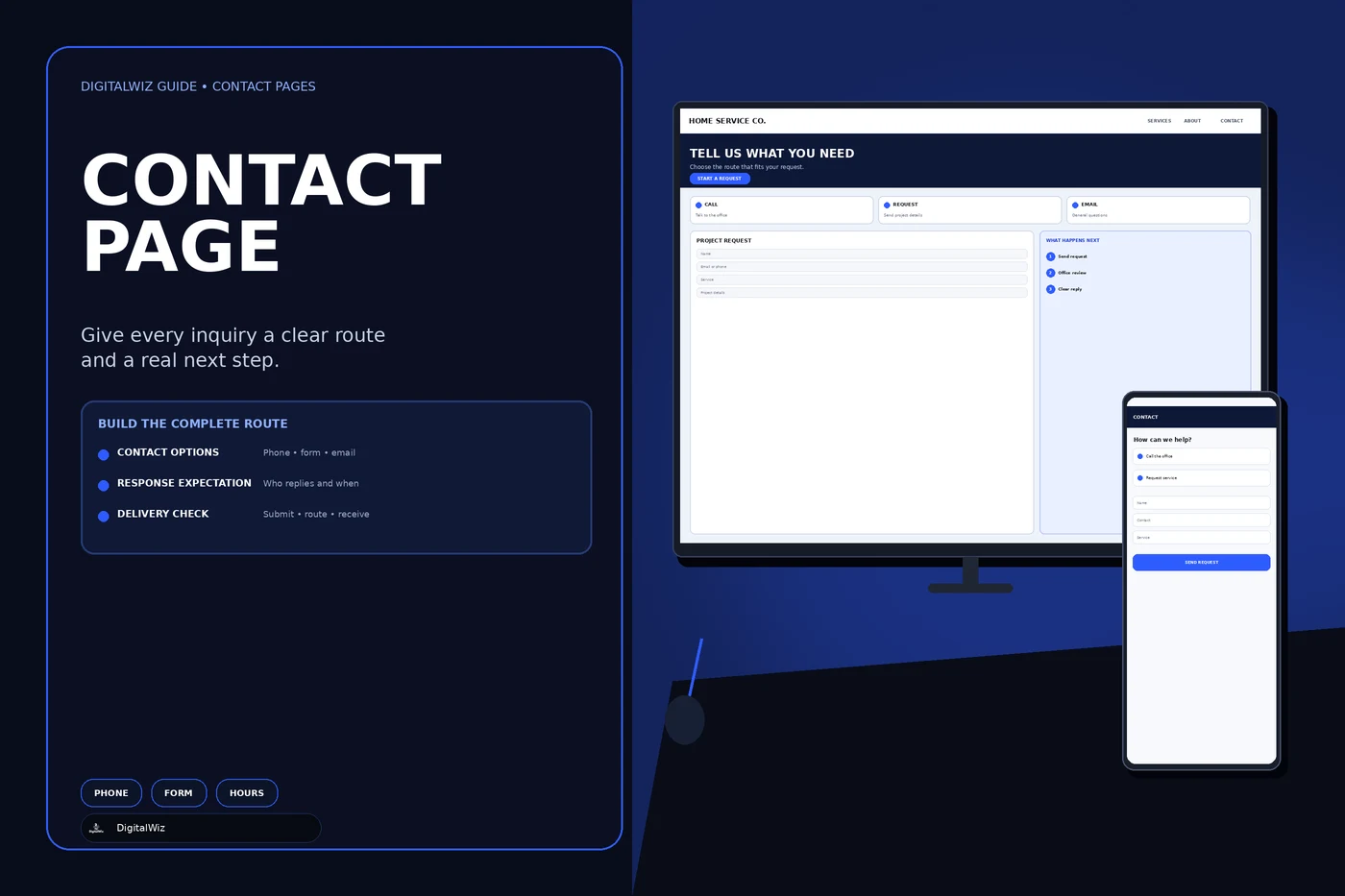
The contact-page interfaces shown above are illustrative. They are not a client website, customer record, lead result, response-time promise, or proof that a particular workflow has been tested.
- Offer the contact methods the business actually monitors.
- Ask for the minimum information needed to route the request.
- Explain whether the next step is a reply, review, estimate, or confirmed appointment.
- Give errors and unavailable channels a usable fallback.
- Test the complete path from customer action to staff response.
Choose contact routes by customer task
Start with the reasons people contact the business. A new estimate, urgent service question, existing-customer support request, billing issue, job application, vendor pitch, and media inquiry should not automatically enter the same queue. List the real request types, who handles each one, which details change the route, and which channel is appropriate.
Then offer a small, understandable set of choices. A local service business may need a tap-to-call number for time-sensitive questions, a project request form for work that needs details or photos, and a monitored email for general matters. Direct booking belongs only where the customer can choose a valid service and time without staff judgment; the DigitalWiz guide to adding online booking explains when a request-first or hybrid flow is safer.
Do not display chat, social messaging, a phone line, or an email address merely because the website can. A channel that no one watches creates a false route. If a method is limited to certain hours or uses an automated assistant before reaching a person, say so in plain language.
- Task: why is the customer contacting the business?
- Channel: where should that request begin?
- Owner: which person or team receives it?
- Status: what does the customer see after taking action?
- Fallback: what should the customer do if the route is unavailable?
Show accurate business details and availability
Put the primary phone number and other important contact methods where customers expect them. Nielsen Norman Group’s contact-page usability guidance recommends complete contact details and communication options rather than replacing them with a form or automated tool. Make phone numbers tappable on mobile and use link text that identifies the destination or purpose.
Publish a street address only when it is a real customer-facing or business location that the company is prepared to disclose. A service-area business can state the territory it serves without inventing an office or presenting a private address as a storefront. If customers visit, include the correct address, entry or appointment instructions, relevant hours, accessibility details, and a map or directions link that points to the right place.
Keep the visible name, phone, address or service area, hours, and URL consistent with the business’s other owned profiles and structured data. Google’s LocalBusiness structured-data documentation describes supported business details, but markup should reflect what the page and business actually say. Schema does not repair outdated or contradictory contact information.
Keep the form short without making it useless
Ask only for fields needed to respond, qualify, or route the first step. A practical starting point is a name, one reliable reply method, request type, and a short description. Add an address or ZIP code when service eligibility depends on location. Add photos only when they help the business understand scope and the upload can be handled securely. Use “not sure” where a customer may not know the technical answer.
Every field should earn its place. If staff never uses a budget choice, referral-source field, model number, preferred date, or long checklist, remove it from the first contact. Move detailed discovery to a later conversation instead of requiring a customer to complete an estimate worksheet before anyone agrees the request is a fit.
Route specialized requests deliberately. An existing-customer issue may need an account or job reference, while a new estimate may need the service and property location. Keep sensitive financial, health, identity, or legal details out of a general marketing form unless the business has a justified, reviewed workflow for collecting and protecting them.
- Collect one dependable way to reply.
- Use request-type choices only when they change routing or preparation.
- Set practical length and file limits before accepting uploads.
- Explain unusual fields at the point where they are requested.
- Never ask a visitor to diagnose dangerous work or share secrets in a general form.
Explain what happens after contact
Tell the customer whether the action creates a message, request, review, quote, reservation, or confirmed appointment. Button labels and success messages should preserve that distinction. “Request an estimate” should not produce a confirmation that sounds like a technician has been scheduled. “Send message” should not imply that a person has already read it.
State a response window only when the business can support it. Identify business hours and the time zone when relevant, explain whether weekends or holidays change the timing, and give urgent or safety-related requests the correct alternative. Avoid a permanent “we reply in five minutes” promise unless staffing and monitoring make it true throughout the displayed period.
Design the staff side at the same time. Define the destination, notification, owner, backup owner, required response status, duplicate handling, after-hours behavior, and escalation path. The customer-facing copy is trustworthy only when the operating process behind it matches.
Make the page accessible and usable on a phone
Use persistent visible labels, clear required-field indicators, useful instructions, logical keyboard order, visible focus, and error messages that identify both the problem and the correction. The W3C forms tutorial recommends short forms that ask only for information needed to complete the process, with associated labels, instructions, validation, and completion or error notifications.
Test the page without a mouse and at narrow mobile widths. The phone link, email link, form fields, upload control, consent choices, error summary, submit button, and fallback route should remain reachable and readable. Do not let a chat widget, cookie control, sticky call button, or mobile keyboard cover the current field or submission status.
Keep essential contact information in text, not only inside a map, image, QR code, icon, or embedded widget. Provide an equivalent route when a person cannot use a third-party booking, challenge, or chat interface. The broader DigitalWiz website accessibility review covers keyboard, zoom, structure, media, and task-based testing.
Minimize data and protect the handoff
Document where form data goes, who can access it, how long it is retained, which vendors process it, and how a customer request is removed when appropriate. Link to an accurate privacy notice near the form when the website’s collection and applicable requirements call for it. Do not copy a policy that describes tools, sharing, or retention the business does not use.
The Federal Trade Commission’s guide to protecting personal information recommends taking stock of the information a business receives, scaling collection and retention down to what is needed, protecting what remains, disposing of it properly, and planning for incidents. Apply that thinking to form providers, inboxes, CRM records, file uploads, automation tools, exports, and backups—not just the visible page.
Keep credentials and private routing rules on the server. Validate accepted fields and files there, limit repeated automated submissions, and use maintained spam controls that preserve an accessible fallback. The DigitalWiz guide to reducing contact-form spam explains that layered controls work better than forcing every visitor through one brittle test.
Test delivery, failure states, and measurement
Run labeled tests from the live page on desktop and mobile. Test each contact route, required-field error, invalid value, upload rule, spam control, network failure, duplicate click, confirmation message, notification, CRM route, assignment, and reply. Use test data you control and verify the record at every step rather than assuming that a success screen proves delivery.
When a form fails, keep the customer’s context where it is safe to do so, explain that no request was created, and offer a monitored alternative. The DigitalWiz article Contact Form Says Sent, but No Email Arrives? provides a step-by-step method for tracing the browser, endpoint, email provider, mailbox, and CRM separately.
Measure contact attempts and completed operational handoffs as different events. A phone-button click is not a completed call. A form start is not a received lead. A success page is not proof that the right person replied. Track enough to find broken routes and compare useful request types, but do not turn private message contents into analytics data.
Review the page whenever the business changes hours, territory, staff, phone service, email provider, form endpoint, CRM, booking tool, spam control, privacy practice, or website platform. If your contact page needs a clearer route from customer intent through verified delivery, DigitalWiz can review the website, tracking, and handoff through Website Development or a strategy call.
- The contact method works on the live custom domain.
- The customer receives an accurate status and next step.
- The request reaches the intended system once.
- A named owner can see and respond to it.
- Failures provide a clear alternative without claiming success.