Should I Add Online Booking to My Small Business Website?
Use online booking when customers can choose a valid service, time, location, and price without staff judgment; otherwise use a request or qualification step first.
The direct answer
Add online booking when a customer can choose the correct service, duration, location, staff member, time, and price without someone from the business interpreting the request first. The system should show real availability, prevent conflicting appointments, explain payment and cancellation terms before confirmation, and send an accurate confirmation immediately.
Use a request form instead when the business must diagnose the problem, confirm a service area, review photos, price custom work, assign equipment, check permits, triage urgency, or coordinate several people before promising a time. A hybrid flow is often the safest choice: collect the minimum qualifying details, let straightforward customers book, and route unusual requests to staff.
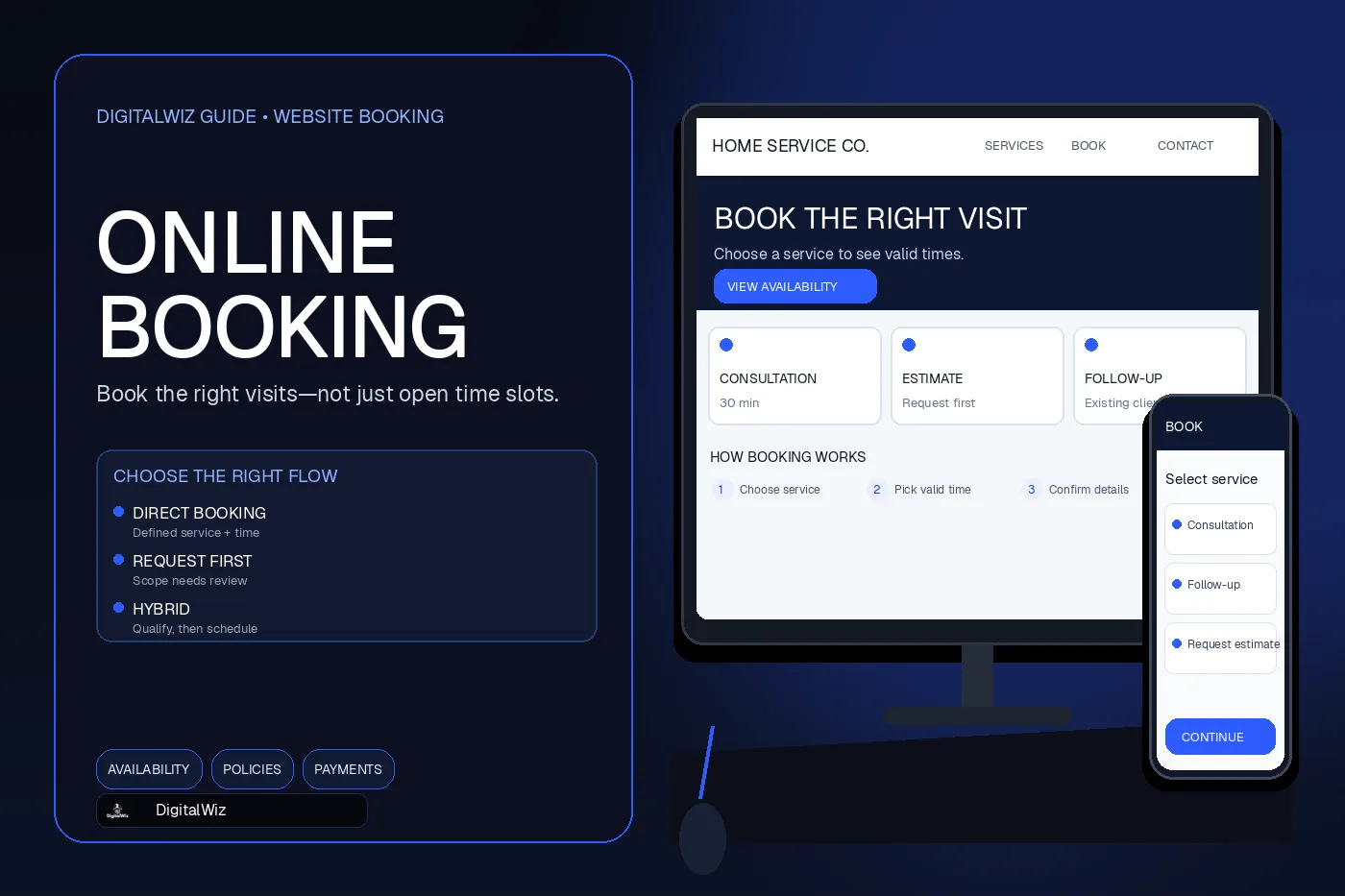
The booking screens shown above are illustrative. They are not a client website, live scheduling system, customer record, or performance claim.
- Use direct booking for standardized appointments with predictable rules.
- Use request-first scheduling when scope, price, duration, or eligibility needs review.
- Use a hybrid flow when only some services or customers can be booked safely.
- Never label a request as confirmed until the system has actually reserved the slot.
Choose among direct booking, a request, and a hybrid flow
Direct booking works best for services that behave like defined calendar products. The business knows how long the appointment takes, who can perform it, where it can happen, what preparation is required, and whether the customer can select it without a conversation. Examples can include consultations, routine follow-ups, classes, recurring maintenance, or other clearly bounded appointments.
A request flow is better when the calendar is not the first decision. A contractor may need an address and project type before routing an estimate. A repair company may need symptoms, model information, or photos before assigning the right technician and time window. In those cases, showing an open slot does not prove the business can perform the work then.
A hybrid flow separates those paths visibly. Ask a small number of eligibility questions, then either present valid times or explain what happens next. Keep the language precise: “Request an appointment” means the business still needs to respond; “Book this appointment” means a reservation will be created. The confirmation screen and email must preserve that distinction.
Define the bookable unit before choosing software
Write the operating rules before comparing scheduling tools. For each appointment type, define the customer it serves, required information, duration, setup and travel buffers, eligible staff, service location, capacity, lead time, blackout dates, rescheduling rules, payment requirement, and the exact condition that makes the booking final.
Then map exceptions. What happens when a customer chooses the wrong service, books outside the service area, needs accessibility accommodations, has an urgent issue, requests two services, or enters an address that changes travel time? Decide whether the system can handle each case or whether a person must review it.
This step prevents a feature list from driving the process. Calendar sync, reminders, deposits, routing, intake forms, staff permissions, and reporting matter only when they support the real scheduling rules. Add the approved workflow to the website brief so the page, booking tool, notifications, and staff process are designed as one system. The DigitalWiz guide to writing a website project brief provides a practical structure for documenting those decisions.
- What exactly is being reserved?
- Which calendars, people, rooms, vehicles, or equipment must be available?
- Which answers change eligibility, duration, price, or routing?
- When is the appointment truly confirmed?
- Who owns exceptions, failures, cancellations, and manual changes?
Protect the calendar from false availability
A booking page is only trustworthy when its availability reflects every resource needed for the appointment. Decide which calendar is authoritative, how quickly external calendars synchronize, how buffers and travel time are blocked, whether staff can create appointments elsewhere, and how the system handles two customers attempting to reserve the same time.
Test the failure paths deliberately. Disconnect a calendar integration, remove a staff member, change a service duration, cross a time-zone boundary, open the same slot in two browsers, and attempt to book during a blackout period. The customer should never receive a confirmed message while the business receives only an unreviewed lead or an impossible calendar event.
Keep a visible fallback. If availability cannot be loaded or a booking fails, preserve the customer’s entered information when appropriate, explain that no appointment was created, and offer a phone number or request path. Do not show a generic success state just because the website accepted a form submission.
Show prices, deposits, and cancellation terms before confirmation
Present the total known charge, required deposit, taxes or mandatory fees, refund conditions, cancellation window, rescheduling rules, and no-show policy before the customer completes the booking. If the final price depends on inspection or scope, identify what is being booked and what is not being quoted. Avoid a button label that implies a free reservation when the next step charges a card.
The Federal Trade Commission’s guidance on unfair or deceptive fees explains current federal requirements for covered live-event tickets and short-term lodging and also discusses misrepresentations about fees. Other industries, states, contracts, card networks, and platforms can have different requirements, so a business should have its own terms reviewed for its actual service and location rather than copying a generic policy.
Make cancellation and rescheduling usable after the booking. The confirmation should identify the service, date, time zone, location, amount paid, remaining balance when known, preparation steps, and the approved way to change or cancel. Staff should see the same information in the system they actually use.
Collect the minimum data and keep payment scope narrow
Ask only for information needed to schedule and prepare for the appointment. Explain why sensitive or unusual fields are required, where uploaded files go, who can access them, and how long the business retains them. Do not collect detailed health, financial, identity, or property information in a general booking form unless the workflow, security, notice, and applicable requirements have been designed for it.
For card payments, use a properly implemented payment provider rather than putting card data into an ordinary website form or email. The PCI Security Standards Council’s merchant resources explain that outsourcing payment processing does not remove every merchant responsibility. Confirm the provider’s integration guidance, secure the website and accounts that control the payment path, limit administrator access, and document who handles disputes and refunds.
Keep customer ownership and access clear when a third-party scheduler stores contact details, intake answers, appointment history, or payment references. Review export options, user permissions, retention settings, account recovery, vendor changes, and what happens if the subscription ends.
Make the booking flow accessible on a phone
Use persistent labels, clear required-field indicators, understandable date and time controls, keyboard access, visible focus, useful error messages, and enough time to complete the flow. Do not use faint hint text inside a field as its only label. The W3C forms tutorial explains how labels, instructions, validation, notifications, and grouped controls help people understand and complete forms.
Test the actual embedded scheduler, not only the surrounding page. A website can be accessible while an iframe, calendar picker, payment modal, or bot check blocks keyboard and screen-reader users. On a phone, verify that the calendar fits without horizontal scrolling, time slots are easy to tap, the keyboard does not hide the next action, and returning from payment does not erase the appointment details.
Provide an equivalent contact route when someone cannot use the booking interface or needs an accommodation. That alternative should reach a person or process that can complete the same task, not a dead-end mailbox with no stated response path.
Test the complete workflow before launch
Run labeled test bookings for every appointment type on desktop and mobile. Use valid, invalid, edge-case, cancellation, rescheduling, refund, failed-payment, and duplicate-submission scenarios. Confirm what the customer sees, what each staff member receives, what lands on the calendar, what enters the CRM, what analytics records, and what happens when an integration is unavailable.
Check time zones, daylight-saving transitions, service-area rules, staff permissions, buffers, reminder timing, email authentication, SMS consent when text messages are used, and links inside every notification. Remove the test records from operational reports without deleting evidence needed to document the launch check.
Measure completed bookings, qualified requests, abandonment by step, incorrect-service selections, manual corrections, cancellations, no-shows, and staff time spent repairing appointments. Treat the first release as a controlled workflow, not a set-and-forget button. If online booking fits the business, DigitalWiz can connect the customer path, website, tracking, and handoff through Website Development or a strategy call.
- The customer receives an accurate status and reference.
- The right calendar and staff workflow update once.
- Payments, refunds, and policy acknowledgments match the displayed terms.
- Errors preserve context and never create a false confirmation.
- Analytics distinguish a booking start from a completed appointment request or reservation.