How Do I Stop Spam Submissions From My Website Contact Form?
Use several quiet controls together: server-side validation, sensible rate limits, a honeypot, and a managed challenge when risk is high. Then monitor blocked and accepted submissions so real customers can still get through.
The direct answer
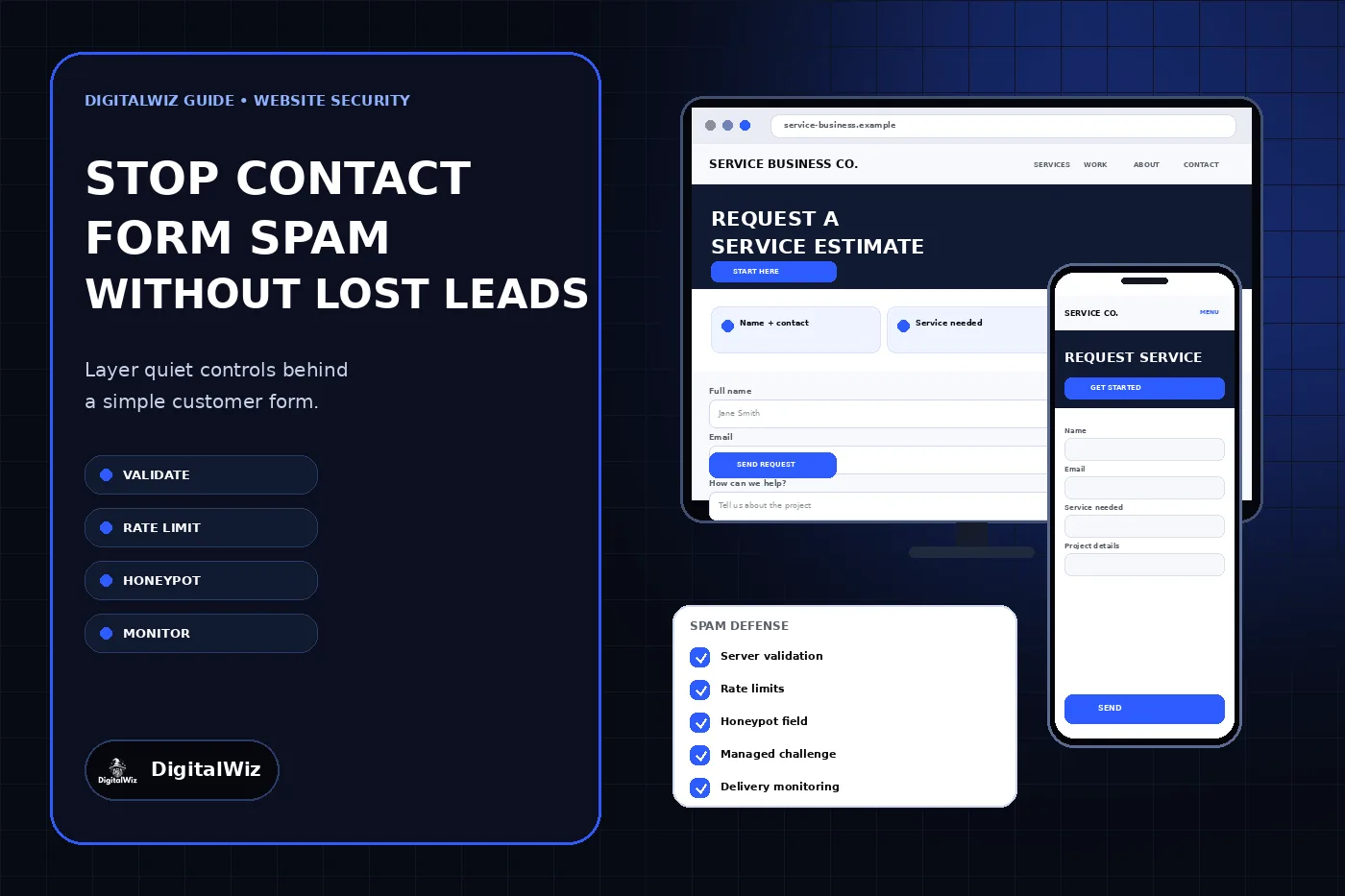
Do not rely on one checkbox or one blocked-word list. The practical way to reduce contact form spam is to layer several controls: validate every field on the server, limit how quickly the form can be submitted, add a hidden honeypot, use a managed challenge when the other signals are not enough, and monitor what the system accepts and rejects.
Keep the visible form simple for real customers. Most service businesses still need only a name, a reliable contact method, the service needed, and enough project detail to route the request. Anti-spam work should happen mostly behind that form instead of making every visitor solve an image puzzle.
No filter will stop every unwanted message without risk. The goal is to reduce automated abuse while preserving genuine inquiries, accessible alternatives, and a dependable fallback contact path. Test the full route from submit button to inbox or CRM, not only the confirmation message on the page.
The interfaces shown above are illustrative. They are not a client website, security certification, spam-blocking result, or claim about lead volume.
- Validate expected fields, lengths, and formats on the server.
- Set endpoint-level rate limits that slow repeated automated submissions.
- Use a properly hidden and labeled honeypot as a low-friction signal.
- Escalate suspicious requests to a maintained managed challenge.
- Track accepted, blocked, failed, and delivered submissions separately.
Find out what kind of form abuse you have
Save a small, privacy-conscious sample of the pattern before changing the form. Are submissions arriving seconds apart? Do they repeat the same message with changing addresses? Are they adding links, strange characters, oversized text, or values that could never come from the visible form? The pattern determines which control belongs first.
Separate automated spam from ordinary sales pitches, mistaken customer requests, and delivery duplicates. A bot defense may reduce scripted bursts, but it will not stop a person from sending an irrelevant offer. Duplicate records may come from retries in the form handler, an automation platform, or the CRM rather than from a visitor submitting twice.
Record the endpoint, time, broad decision reason, and delivery outcome without storing complete rejected messages forever. Do not copy contact details or full request bodies into loosely protected logs. A useful record should help tune the control without creating a second store of personal information.
- Volume and timing: isolated messages or repeated bursts
- Repeated fields, links, phrases, domains, or impossible selections
- Whether duplicates originate before or after the form endpoint
- Which legitimate browsers or customers are being rejected
- Whether accepted messages actually reach the intended destination
Validate the real request on the server
Browser validation improves the experience, but a script can bypass it and send a request directly to the endpoint. Define what the server accepts for every field: required or optional, maximum length, valid choices, expected type, and total request size. Reject extra fields or unsupported file types when the form does not need them.
OWASP’s input validation guidance recommends checking both syntax and meaning, applying size limits before expensive parsing, and validating on the server even when the browser performs the same checks. Use field-specific acceptance rules instead of trying to recognize every bad phrase or punctuation mark.
Validation is not a spam detector by itself. A bot can submit a correctly formatted name and email address. It is still essential because it removes malformed requests, constrains the work your application performs, and gives the later controls clean, predictable input. Keep secrets, mail credentials, and challenge keys in the server environment—not in front-end code.
- Allow only the fields the form actually uses.
- Set practical per-field and total request-size limits.
- Confirm drop-down values belong to the approved set.
- Treat file names and browser-supplied content types as untrusted.
- Return a clear customer-safe error without exposing internal details.
Add quiet friction before a visible challenge
A honeypot is an extra field that ordinary visitors should not see or fill. Basic bots often complete every input, so a nonempty honeypot becomes one useful rejection signal. Keep it out of the visual and keyboard path, label it so assistive technology is not misled, and evaluate it on the server. Do not make it the only defense; more capable bots can detect or ignore hidden fields.
Rate limiting controls how often the form endpoint will accept attempts. The limit should protect the endpoint without punishing a household, office, or mobile network simply because several people share an IP address. Use a sliding window or token bucket, consider more than one signal when available, and return a generic response when the limit is reached.
OWASP’s bot management guidance treats rate limiting as a foundational control and recommends layered defenses rather than one brittle test. Start with measured limits, review legitimate rejection reports, and tighten the rule from evidence instead of copying a threshold from an unrelated site.
Use a managed challenge as one layer, not the whole system
When quieter controls are not enough, add a maintained challenge such as Cloudflare Turnstile or another provider that fits the site’s privacy, accessibility, hosting, and support requirements. Prefer a low-friction or risk-based flow over forcing every visitor through a difficult image puzzle. Keep an accessible fallback contact method for anyone who cannot complete the challenge.
A challenge shown in the browser is incomplete until the server verifies the returned token. Cloudflare’s Turnstile validation documentation states that server-side validation is mandatory; tokens expire after five minutes and are single-use. The backend should require a successful result and check the expected hostname and action when those values are configured.
Retain validation and rate limits after a challenge passes. A solved token does not prove that every submitted field is safe or that the request matches the purpose of the form. Also plan for the challenge provider to time out: show a useful retry message, avoid silently discarding a genuine inquiry, and keep phone, email, or another monitored path available.
- Keep the secret key on the server.
- Verify each token before processing or sending the inquiry.
- Check expected hostname and form action where supported.
- Handle expired, reused, missing, and unavailable-token states.
- Provide an accessible alternative and a real fallback contact route.
Filter carefully after the request passes
Content and reputation filters can help after structural checks, but broad rules create false positives. A roofing inquiry may legitimately mention insurance, a plumbing request may include a URL to a product, and a customer name may contain punctuation or characters outside English. Do not block ordinary language merely because it resembles a rule written for a different business.
Route uncertain submissions to a review queue or spam folder instead of deleting them immediately. Label why a message was held so the team can tune that rule. Keep the original customer-facing confirmation truthful: if the request is still being evaluated or delivery failed, do not promise that a person received it.
Collect only what the next step requires. Extra required fields do not reliably prove someone is human; they add abandonment and create more information to protect. If the business does not need a file upload, open website field, long free-text box, or account registration to respond, remove it rather than defending unnecessary functionality.
Test the form as both a customer and a bot
Create a repeatable test set with accepted and rejected cases. Include a normal mobile submission, long but legitimate names, copy-and-pasted phone numbers, assistive-technology navigation, a filled honeypot, missing required fields, an oversized message, repeated fast attempts, an expired challenge, and a temporary provider failure. Confirm both what the visitor sees and what the server records.
Then verify delivery. A clean success state is not proof that the inbox, CRM, notification, or automation received the lead. The DigitalWiz guide for a contact form that says sent but produces no email covers sender identity, provider logs, routing, spam folders, and labeled end-to-end submissions.
Measure accepted inquiries, blocked attempts, review-queue releases, delivery errors, and customer complaints separately. Raw form-submission totals should not be reported as qualified leads. If a new rule cuts spam but also removes genuine estimate requests, it is not a successful improvement.
- Desktop and mobile submission with ordinary customer data
- Keyboard navigation, focus order, errors, and challenge fallback
- Honeypot, invalid fields, oversized payload, and burst attempts
- Challenge success, expiry, reuse, timeout, and provider outage
- Final receipt in the correct inbox or CRM with no duplicate record
Use a layered rollout plan
Start by fixing server-side field rules, request limits, and delivery logging. Add a honeypot and conservative endpoint rate limit next. Observe the form under real traffic, then introduce a managed challenge only where the measured abuse justifies it. Keep content filters in review mode until you understand their false positives.
Document who owns the form, challenge account, secret keys, mail provider, CRM route, monitoring, and fallback contact method. Recheck the system after a website redesign, form-plugin update, hosting move, DNS change, or CRM replacement. The anti-spam control and lead-delivery path are one operating system, not separate launch tasks.
Need a contact path that is easier for real customers and harder for automated abuse? DigitalWiz can review the form, its server-side controls, and the complete lead route. Explore Website Development, run a free BizScore audit, or contact DigitalWiz.
- Stage 1: server validation, request limits, and delivery evidence.
- Stage 2: honeypot and measured endpoint rate limiting.
- Stage 3: managed challenge for unresolved or higher-risk traffic.
- Stage 4: review queues and narrowly tested content rules.
- Ongoing: accessibility, false-positive, delivery, and abuse monitoring.