Should I Use a 301 Redirect or a Canonical Tag?
Use a permanent redirect when the old URL should stop being a destination. Use a canonical tag when both versions must remain accessible but one should be the preferred search URL.
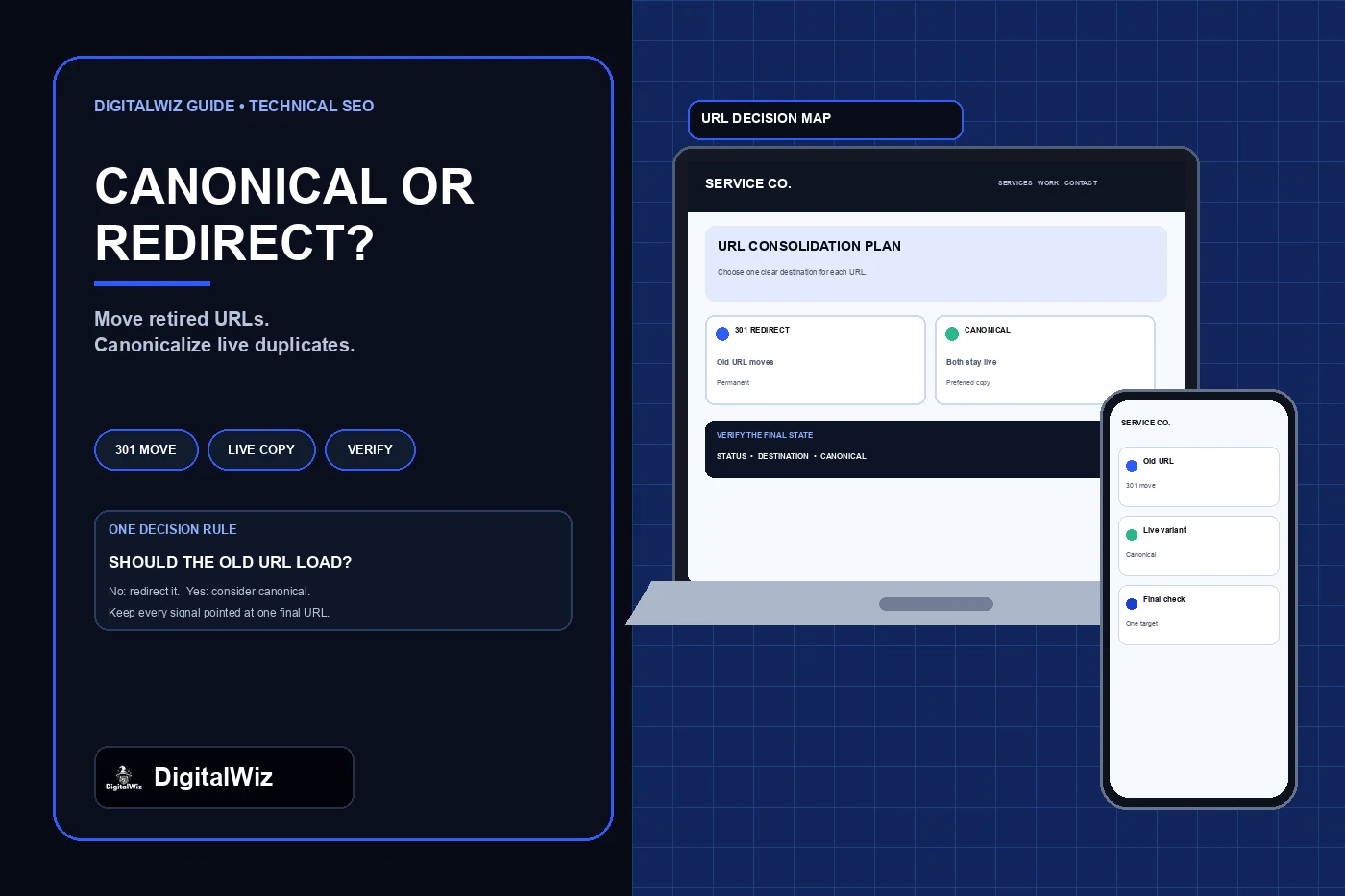
The direct answer
Use a permanent server-side redirect when the old URL should stop being a destination for visitors and search engines. Use a canonical tag when both URLs need to remain accessible but they show duplicate or very similar content and one should be treated as the preferred search URL.
The simplest test is operational, not technical: should a person who requests the old URL still see that version? If no, redirect it to the closest equivalent final page. If yes, keep it available and consider a canonical only when the pages are genuinely duplicate or near-duplicate. If the pages answer different questions, serve different customers, or contain materially different information, neither tool should merge them.
A redirect changes the customer journey because the browser loads another address. A canonical does not move the visitor; it is a search signal in the HTML or HTTP headers. Google describes both permanent redirects and rel="canonical" annotations as strong canonicalization signals, while sitemap inclusion is weaker. Google can still select a different canonical when the content or technical signals conflict.
The image above is an illustrative URL-planning interface, not a client website, crawl report, Search Console result, or ranking claim.
- Old URL is retired or moved: use a 301 or 308 redirect to the direct replacement.
- Both URL versions must remain usable and are substantially the same: use rel="canonical".
- The change is temporary: use an appropriate temporary redirect, usually 302 or 307.
- The page should remain accessible but stay out of search: consider noindex, not canonicalization.
- The pages serve different intent: keep both distinct and do not force consolidation.
Start with the visitor experience
Write down the source URL, the proposed destination, what each page shows, and why each address exists. Open both versions as a customer would. If the source is an obsolete address for content that now lives elsewhere, letting it continue to render adds another version to maintain and another destination for links, analytics, and search systems. A permanent redirect is usually the honest result.
Common redirect cases include a renamed page, an old slug after a redesign, HTTP moving to HTTPS, www consolidating to the preferred host, and two genuinely duplicate pages being merged into one retained answer. The destination must satisfy the same intent. An old service page should not be redirected to the homepage or an unrelated offer merely because that page is important.
A canonical belongs to a different situation: the alternate address still has a user or system function. Examples can include a print-friendly version, a duplicate parameter variant, or another fetchable representation that should remain available. The canonical tells search engines which representative URL you prefer; it does not erase the alternate page or protect private information.
Use a permanent redirect when the old URL is finished
A 301 response means the resource moved permanently. A 308 also signals a permanent move while preserving the request method, which matters for requests other than ordinary page GETs. For public content pages, use the permanent method supported correctly by the platform and verify the actual response rather than relying on a dashboard label.
Google's canonical URL guidance says redirects are a strong signal that the destination should become canonical and recommends server-side redirects for the quickest effect. MDN's 301 reference explains that the response includes a Location header and the browser automatically requests that destination.
Point the source directly to a live final URL. Avoid A-to-B-to-C chains, loops, a destination that redirects again, and bulk rules that send unrelated retired pages to one generic location. Update internal links, navigation, sitemap entries, canonical tags, campaign destinations, and owned profile links to use the final address so visitors and crawlers do not depend on the redirect forever.
- Source returns 301 or 308, not a 200 page with a JavaScript hop.
- Location points directly to the final equivalent URL.
- Final URL returns 200 and can be indexed when intended.
- Internal links and the XML sitemap publish only the final URL.
- The final page uses a self-consistent canonical rather than pointing elsewhere.
Use rel="canonical" when both versions need to stay live
A canonical link identifies the preferred representative of duplicate or very similar content while the current URL continues to return its normal page. In HTML, it belongs in the head as a link element. Google recommends absolute URLs and a self-referential canonical on the preferred page. For non-HTML resources such as certain document formats, an HTTP Link header can express the canonical relationship.
Canonicalization is not a tool for hiding a page, repairing thin content, or forcing an unrelated page to rank. Google may ignore the declared preference if the pages are not similar enough or if redirects, internal links, sitemap entries, hreflang, and other signals point elsewhere. The DigitalWiz guide to Google showing the wrong page explains how to compare the expected and selected URLs before changing these signals.
Keep the relationship easy to defend. The alternate should point to one canonical URL that returns 200. The canonical should normally point to itself. Internal links and the sitemap should favor the preferred address. Do not create a circular pair where A canonicalizes to B while B canonicalizes to A, and do not point the canonical at a redirecting or missing destination.
- Both URLs continue to load because the alternate has a real purpose.
- Their primary content is duplicate or substantially similar.
- The canonical target is an absolute, indexable, final 200 URL.
- The preferred page self-canonicalizes.
- Internal links and the sitemap agree with the preferred URL.
Do not use either tool to merge different intent
Two pages can mention the same service without being duplicates. A service page, project example, pricing guide, troubleshooting article, and contact page may share terms while serving different decisions. Redirecting one to another can remove a useful route. Canonicalizing them can ask Google to group pages that are not interchangeable.
Compare the main answer, audience, action, and evidence on each page. If one helps a buyer choose a service and another explains maintenance after purchase, they deserve separate treatment even if both mention the same product. Strengthen titles, headings, copy, internal links, and navigation so the distinction is clear instead of trying to solve overlap with a tag.
When two pages truly repeat the same answer and neither needs to remain independently accessible, combine the useful material into the stronger retained page and redirect the other URL. That is a content decision first and a redirect implementation second. Preserve existing pages until the inventory, traffic, links, customer paths, and replacement are understood.
Know when noindex, 404, or a temporary redirect is the better answer
Use noindex when a public page must remain accessible to people or systems but should not appear in search results. It is not a privacy control: anyone with the URL may still reach the page. Search crawlers also need to access the page to read the directive, so blocking that URL in robots.txt can prevent Google from seeing its noindex rule.
Use an honest 404 or 410 when content is gone and there is no equivalent replacement. The DigitalWiz guide to handling 404 errors explains why every removed URL should not be redirected to the homepage. Restore the page instead when deletion was accidental and the original URL still serves a valid customer need.
Use a 302 or 307 when a move is genuinely temporary and the original address remains the long-term destination. Examples can include short maintenance routing or a controlled test. Do not leave an intended permanent move labeled temporary because nobody recorded when to change it. Every redirect rule should have a source, destination, purpose, owner, and review condition.
Verify the complete URL signal set after the change
Test from outside the admin session and record evidence for both the source and target. For a redirect, capture the source status, Location header, final status, complete redirect path, final canonical, robots directives, title, and main heading. For a canonicalized alternate, capture its 200 status, rendered canonical, the target status, target self-canonical, and whether both pages still perform their intended user function.
Then inspect the surrounding signals. Search the site for internal links to the alternate or retired address. Confirm the XML sitemap lists the preferred URL and not redirecting or noncanonical duplicates. Check structured data, hreflang when used, feeds, PDFs, email templates, ads, QR codes, and business profiles that may publish the old address. One correct tag does not cancel a site full of contradictory links.
Use Google Search Console's URL Inspection after the live implementation is correct. Compare the user-declared canonical and Google-selected canonical, and allow time for recrawling and reprocessing. Google's canonicalization troubleshooting guide notes that Google may choose a different canonical and recommends checking technical signals and whether pages grouped together are sufficiently distinct.
Need help mapping old and duplicate URLs before a redesign or SEO cleanup? Review DigitalWiz Search Visibility, read the website redesign checklist, or contact DigitalWiz for a practical URL and customer-path review.
- Source response and complete redirect chain
- Final destination status and self-referencing canonical
- Robots and indexing directives on both URLs
- Internal links, sitemap, structured data, and external owned links
- Rendered desktop and mobile customer path after the change