What Should Be in a Small Business Website Footer?
Include an accurate business identity, a working contact path, a short set of useful links, and the policy pages that match how the site actually operates. Keep the footer readable, mobile-friendly, and free of SEO clutter.
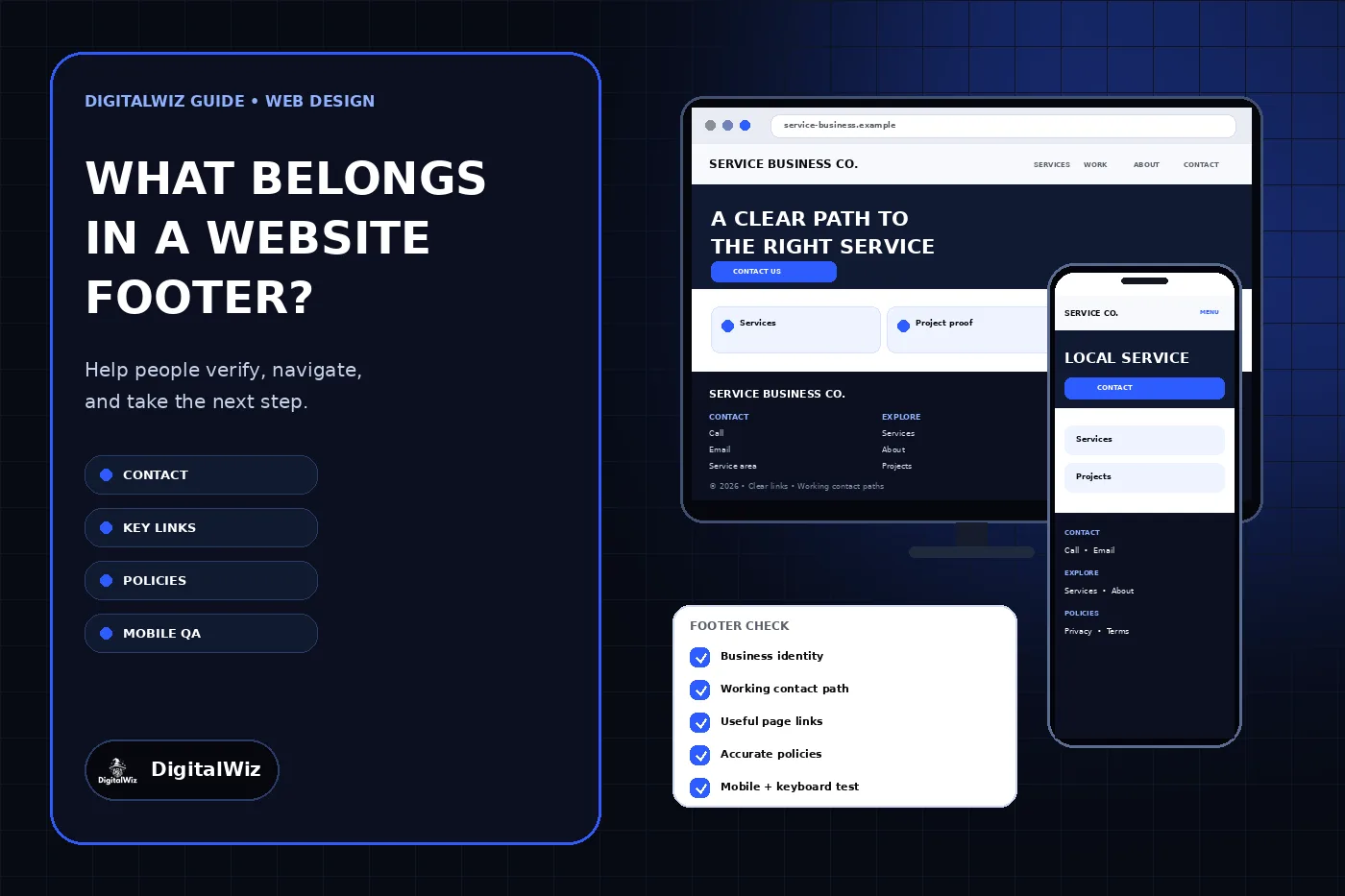
The direct answer
A small business website footer should help a person do four things after reaching the end of a page: identify the business, contact it, reach a useful next page, and find the policies or support information that applies. A practical footer usually includes the business name, a genuine location or service-area description, a working phone or contact route, selected service and company links, privacy and terms links when those pages exist, and a current copyright line.
Keep it selective. The footer is a second navigation and verification layer, not a warehouse for every article, city, service variation, badge, social account, and keyword. Use clear group labels, readable type, ordinary crawlable links, and the same dependable information across the site.
The exact contents depend on how the business operates. A restaurant may need hours, directions, reservations, and ordering. A contractor may need service areas, core services, project proof, and an estimate path. An online store may need shipping, returns, account, and customer-service links. Start with the tasks a real visitor could still have after reading the page.
The website and footer examples shown above are illustrative. They are not a client website, legal review, accessibility certification, search result, or performance claim.
- Business identity and an honest location or service-area statement
- One primary contact or booking path that is actively monitored
- A small set of important service, company, and support links
- Privacy, terms, and other policy links that match actual operations
- Readable mobile layout, keyboard access, and a current copyright line
Publish accurate business and contact information
Use the exact public business name and a contact method that someone owns. A phone number should call the intended line from a mobile device. An email address should reach a monitored mailbox. A booking link should open the correct calendar and explain what is being booked. If Contact is the main route, the linked page should provide the choices and response expectations a visitor needs.
Show a real customer-facing address only when the business actually receives customers there. A service-area business can state the genuine area it serves without publishing a home address or inventing an office. Hours belong in the footer when they help customers decide when to call, visit, order, or request support—and only when someone keeps them current.
Check every repeated version after a change. Contact details can appear in the header, footer, contact page, structured data, ad landing pages, forms, and business profiles. One corrected footer does not resolve an old phone number elsewhere. The DigitalWiz guide to updating a small business website explains how to treat these repeated facts as one maintained system.
- Business name matches the public identity used elsewhere.
- Phone, email, form, chat, or booking destination works.
- Address or service area describes a real operating arrangement.
- Hours and response expectations are current when displayed.
- Changed details are corrected across every owned surface.
Choose a short set of useful links
Most service-business footers need a path to core Services, About, Contact, and useful proof such as Projects when that proof is real and maintained. Add customer support, account access, careers, financing, returns, or booking only when those destinations serve a genuine task. Link names should say what opens; vague labels such as Explore or Learn More make scanning harder.
The main menu and footer can overlap without being identical. The header should prioritize the primary customer journey. The footer can repeat those important routes for people who reached the bottom and add secondary destinations that would clutter the header. The DigitalWiz guide to small business website navigation explains that separation in more detail.
Use normal links with descriptive anchor text. Google says logical site structure, relevant internal links, and concise anchor text can help its automated systems understand useful sitelinks, but a footer does not guarantee which sitelinks Google will show. Link because the destination helps visitors; then verify that every link resolves directly to the preferred live URL.
Link policies that match the real website
A privacy link is useful only when the underlying notice describes what the site and business actually collect, use, share, retain, and protect. Inventory contact forms, analytics, advertising tags, chat, booking, payments, uploads, newsletters, and embedded services before approving the wording. The FTC advises businesses to reread their privacy policies and honor the promises they make about personal information.
Do not copy another company’s policy or promise practices the business does not follow. Legal requirements vary by location, audience, industry, data type, and activity. Terms, cookie controls, accessibility statements, return policies, subscription terms, and industry disclosures should be added when they genuinely apply and should be reviewed by qualified counsel when legal advice is needed.
Make policy links readable and consistently available rather than hiding them in tiny, low-contrast text. When a form collects information, give people relevant notice where they submit it instead of assuming a distant footer link answers every consent or disclosure requirement. Collect only the fields needed for the next step; the FTC’s data-security guidance recommends keeping only information the business needs.