Does Website Speed Affect Google Rankings for a Local Business?
Yes, but less than most speed-test scores suggest. Google uses Core Web Vitals in ranking, yet relevance still comes first. Here is what Google actually measures, how to check your own site, and the fixes that matter most for a local service business website.
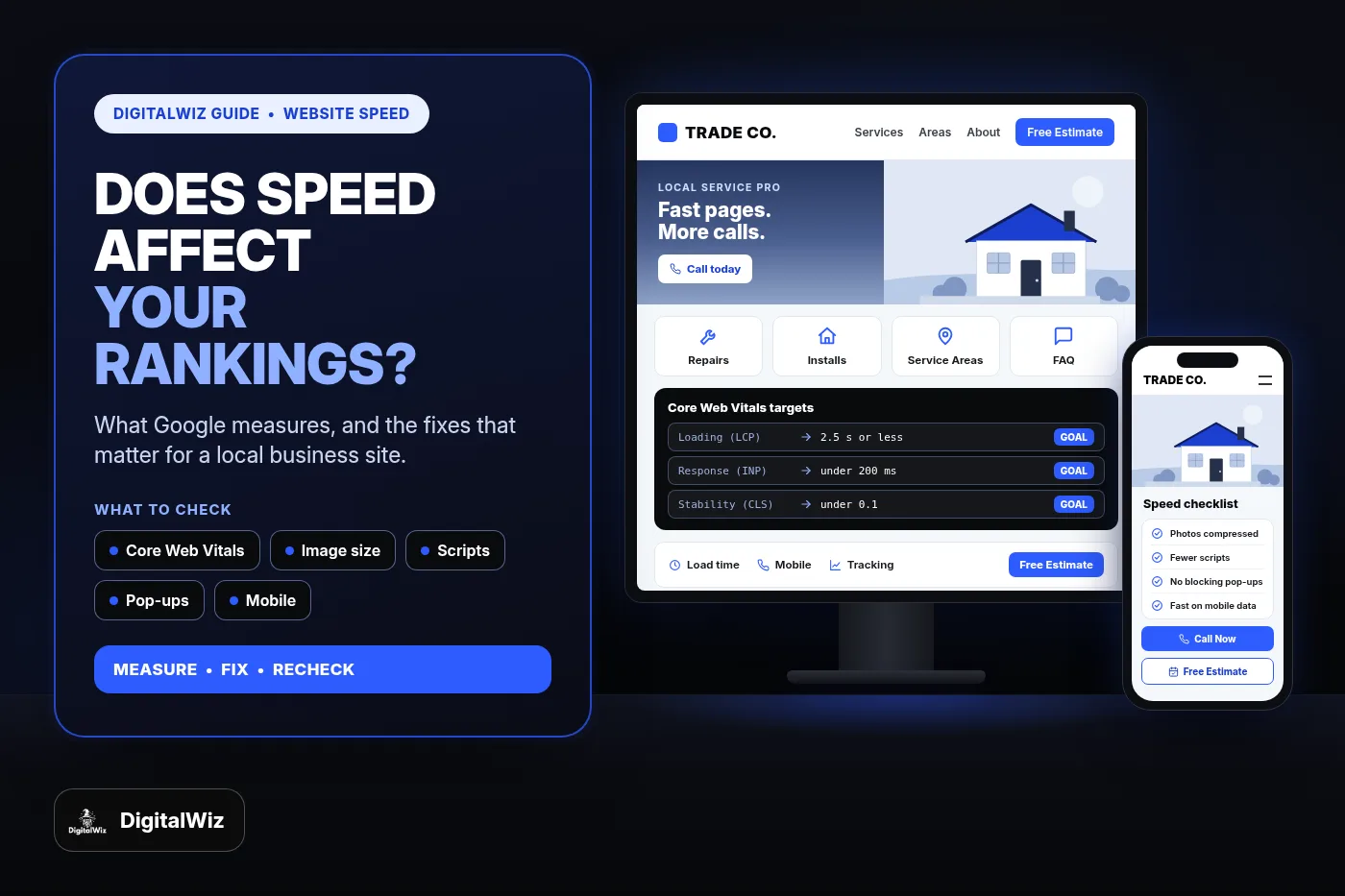
The direct answer
Yes, website speed affects Google rankings, but it is rarely the main reason a local business ranks or does not. Google says its ranking systems use Core Web Vitals, a set of real-user measurements of how fast a page loads, how quickly it responds, and how stable it stays while loading.
Google is just as clear about the limits. It says it will still show the most relevant page even when the page experience is not great, and that a perfect score does not guarantee a top position. Speed tends to matter most when several businesses offer similarly helpful pages, which is common in local service searches.
Speed also affects the part that pays the bills. A visitor on a phone who is waiting on a slow page may never see your phone number or estimate form. So treat speed as a lead problem first and a ranking factor second.
What Google actually measures
Google's Core Web Vitals are three metrics, each with a published target for a good experience:
- Largest Contentful Paint (LCP), for loading: the main content should appear within 2.5 seconds of the page starting to load.
- Interaction to Next Paint (INP), for responsiveness: the page should react to taps and clicks in under 200 milliseconds.
- Cumulative Layout Shift (CLS), for visual stability: the layout should not jump around, with a score under 0.1.
Field data versus a speed test score
These metrics come from real visits. Google's guidance on web.dev looks at the 75th percentile of page loads, which roughly means most of your real visitors, on their actual phones and connections, should get a good experience. That is different from a one-off test run on a fast office computer.
This is where many business owners get confused. The 0 to 100 performance score in PageSpeed Insights or Lighthouse is a lab test: a simulated load under fixed conditions. It is useful for finding problems, and it can change from one run to the next. Google's Search documentation talks about Core Web Vitals, not hitting a perfect lab score, and it says chasing a perfect score just for SEO may not be the best use of your time.
Speed also sits inside a bigger picture Google calls page experience: a secure HTTPS site, content that works well on mobile, and no intrusive pop-ups covering the page. If your site still struggles on phones, start with our guide to why a mobile-friendly website matters.
How to check your own website
You do not need special software. Two free Google tools cover most of it.
Start with the Core Web Vitals report in Google Search Console. It groups your pages into Good, Needs improvement, and Poor for mobile and desktop, based on real Chrome user data. Many small local sites will see a "No data available" message. Google says that means there is not yet enough real-user data for the site, not that something is broken.
Then run your most important pages through PageSpeed Insights. Test the homepage, your top service pages, and any page you send ad traffic to, and look at the mobile results first. If real-user data is available, it appears at the top. Below that, the lab diagnostics list what is slowing the page down, such as large images, render-blocking code, or layout shifts.
What usually slows down a local service business website
On contractor and home service sites, the same few problems show up again and again:
- Huge photos uploaded straight from a phone or camera, often several times larger than they are ever displayed.
- Homepage sliders and background videos that make the main content wait.
- Stacked third-party scripts: chat widgets, review badges, social feeds, heat maps, and old tracking tags nobody uses anymore.
- Too many plugins or a heavy page builder theme loading code on every page, whether that page needs it or not.
- Images, embeds, and banners without reserved space, which push the page around as they load.
- Pop-ups that appear on page load and cover the content on a phone screen.
- Slow or overcrowded hosting with no caching.
Fix speed in this order
Work through the cheapest, highest-impact fixes first, and focus on the pages that bring in calls and form fills.
First, fix images. Resize photos to the size they actually display, compress them, and use a modern format such as WebP. Let images further down the page load lazily, but not the main image at the top, since that is often what LCP measures.
Second, cut scripts and plugins. List every widget, tag, and plugin on the site and remove anything you cannot tie to a lead, a sale, or a legal requirement. This is often the biggest win for INP, because scripts are usually what make a page slow to react to a tap.
Third, stop the layout from jumping. Give images and embeds set dimensions, and keep banners and pop-ups from pushing content down after the page appears.
Fourth, look at hosting and caching. Good caching and a content delivery network help every page at once.
If the platform or theme itself is the bottleneck, a rebuild may be the honest answer. Plan it so you keep the rankings you already have.
Do not trade useful content for a faster score
The goal is a site that loads fast and still convinces people to call. Photos of real work, reviews, service details, and clear calls to action are what turn a visit into a lead. Compress and simplify them. Do not delete them to squeeze out a few more points on a lab test.
The same goes for stacking speed plugins. Several optimization plugins doing overlapping jobs can conflict, break forms, or add their own code. One clean setup beats five plugins fighting each other.
How to tell whether speed work paid off
Measure before you change anything. Note your Core Web Vitals status, your PageSpeed results for key pages, and the number of calls and form submissions from the site over a few weeks. Search Console's real-user data covers the previous 28 days, so give changes time to show up.
Then compare. If the pages pass and leads have not moved, speed probably was not the main problem. Look at the offer, trust signals, and calls to action instead. Our guide to a good website conversion rate for a local business covers what to check next.
A quick website speed checklist
- Check the Core Web Vitals report in Search Console for mobile and desktop.
- Test your homepage, top service pages, and ad landing pages in PageSpeed Insights on mobile.
- Resize and compress large photos, and use WebP where you can.
- Do not lazy-load the main image at the top of the page.
- Remove unused plugins, widgets, and old tracking tags.
- Reserve space for images, embeds, and banners so the layout does not shift.
- Remove pop-ups that cover the page on phones.
- Confirm caching and hosting are not slowing every page.
- Track calls and form submissions before and after the changes.
Common questions
Is page speed a Google ranking factor?
Partly. Google says its ranking systems use Core Web Vitals, which measure loading speed, responsiveness, and visual stability. Relevance and helpful content still come first, and good scores do not guarantee a top position.
What is a good PageSpeed Insights score?
There is no magic number. The 0 to 100 score is a lab estimate that can vary between runs. Focus on passing Core Web Vitals for real visitors and fixing the specific problems the report lists, rather than chasing 100.
Why does Search Console say there is no Core Web Vitals data for my site?
Usually because the site does not get enough Chrome visits for Google to report real-user data, which is common for small local businesses. You can still test individual pages with PageSpeed Insights or Lighthouse.
Will a faster website get me more leads?
Nobody can honestly promise that. A faster site removes friction, especially on phones, but leads also depend on your offer, trust signals, and calls to action. Track calls and form submissions before and after the work to see what changed.
Will switching website platforms fix my speed?
Not automatically. Oversized images, extra scripts, and heavy widgets can follow you to any platform. If you do rebuild, keep or redirect your existing URLs so you do not lose rankings in the move.
The bottom line
Speed is worth fixing, but as part of a website that answers questions and makes it easy to call, not as a score to chase. Check real-user data, fix images and scripts on the pages that bring in leads, and measure the result.
If your site is slow or you are not sure what is holding it back, see how we approach website development and search visibility, then contact DigitalWiz and we will take a look.