What Should Be on a Contractor Website Homepage?
A contractor website homepage should quickly show what you do, where you work, why homeowners can trust you, and the easiest next step to call, book, or request an estimate.
The direct answer
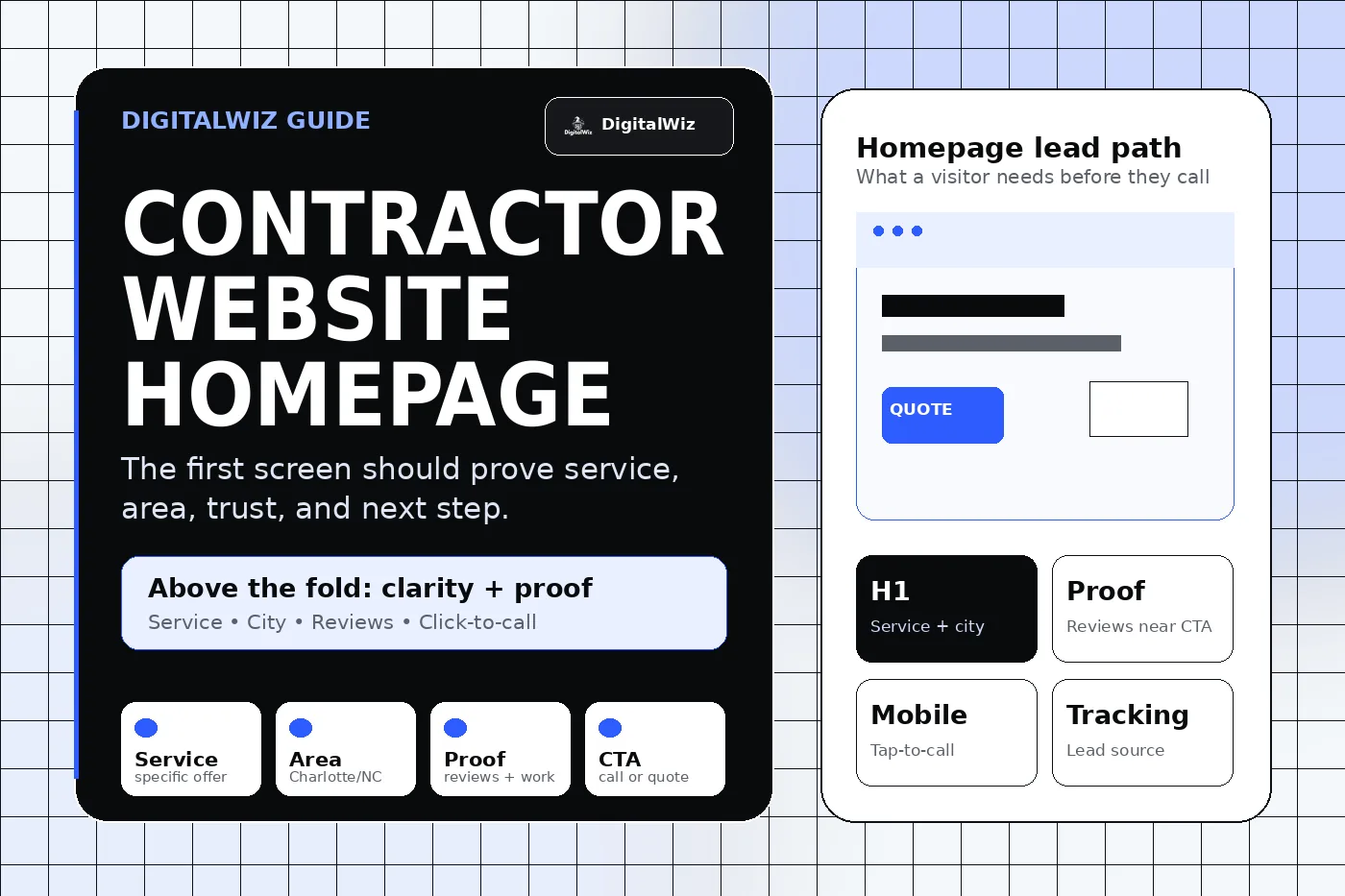
A contractor website homepage should answer four questions fast: what work do you do, where do you do it, why should someone trust you, and what should they do next? If a homeowner has to dig for the service, service area, proof, phone number, or estimate path, the homepage is making the lead work too hard.
For a Charlotte or NC contractor, the homepage should feel local and useful without trying to cram the whole website into one screen. Roofing, remodeling, HVAC, plumbing, landscaping, concrete, electrical, painting, restoration, and other trade businesses all need the same foundation: clear offer, local proof, focused navigation, strong calls to action, and tracking that shows which visitors become real leads.
The DigitalWiz rule: the homepage is the front door, not the whole sales pitch. Use it to route people into the right service pages, support Search Visibility, and make every call, form, and quote request measurable.
- Lead with a plain-language service and location headline.
- Put click-to-call, estimate, or booking options near the top on mobile.
- Show trust fast: reviews, project proof, credentials, photos, process, and service areas.
- Send visitors to focused service pages instead of forcing every detail onto the homepage.
Start above the fold with service, area, and next step
The first screen should make the visitor feel they landed in the right place. A headline like "Roof repair and replacement in Charlotte" is usually stronger than a vague line about quality craftsmanship because it confirms the service and market immediately.
Pair that headline with a short subhead that explains who you help and what the next step looks like. Then make the action obvious: call now, request an estimate, schedule a consultation, book an inspection, or start a project conversation. The CTA should match how the contractor actually sells.
Mobile matters here. A homeowner dealing with a leak, repair, quote, or renovation question may be on a phone. The number should be tappable, the button should be readable, and the page should not hide the action behind a menu or a giant hero image.
- Say the primary service and city or service area in the H1 or opening section.
- Use one main CTA with specific language: call, request estimate, book inspection, or schedule consultation.
- Make the phone number tappable and visible on mobile.
- Avoid stock-photo hero sections that look nice but do not explain the offer.
Show proof before asking for the lead
Contractor leads are trust-heavy. The visitor is deciding whether to invite a company into a home, business, job site, roof, yard, or property. Proof should appear early, not only on a separate reviews page.
Use the proof that matches the job. A roofer may need storm damage photos, warranty context, and review snippets. A remodeler may need project galleries and process steps. An HVAC, plumbing, or electrical company may need availability, licensing, emergency fit, and clear service-area details. A landscaper or hardscape contractor may need before-and-after photos and scope examples.
Google's local ranking guidance talks about relevance, distance, and prominence. Your website can support relevance and prominence when it clearly explains services, locations, reviews, credentials, project examples, and business details. The point is not to decorate the homepage with badges. The point is to reduce risk for the buyer.
- Add review snippets or star-rating context only when the proof is real and supportable.
- Use real project photos or portfolio links when available.
- Mention licenses, insurance, warranties, financing, or guarantees only when accurate.
- Place proof near CTAs so the visitor sees confidence before the ask.
Add local context without forcing it
Local context should feel natural. A Charlotte contractor can mention Charlotte, Matthews, Indian Trail, Waxhaw, Huntersville, Concord, Monroe, Gastonia, Rock Hill, or other real service areas, but the page should not read like a city-name dump.
Better local context comes from useful details: where you work, what types of properties you serve, project examples from nearby areas, photos, testimonials, service-area notes, and practical constraints like travel radius or appointment availability.
If you serve multiple towns, the homepage can summarize the region and link to stronger location or service-area pages when those pages have real value. Thin location pages can hurt trust. Helpful local proof can support both buyers and search systems.
- List core service areas clearly but do not keyword-stuff the homepage.
- Use real project examples, photos, reviews, or neighborhood context when possible.
- Link to useful city pages only when they add specific local value.
- Keep name, address or service area, phone, and website details consistent with Google Business Profile and citations.
Answer the objections that stop calls
A strong homepage does not need a massive FAQ section, but it should address the questions that block action. Visitors often want to know whether you handle their exact problem, whether you serve their area, how estimates work, how soon they can hear back, what affects price, and what happens after they submit a form.
Short answers can do a lot. A simple process section can explain call, estimate, proposal, schedule, work, cleanup, and follow-up. A pricing note can explain that project cost depends on scope and link to a deeper pricing or service page. A contact section can set expectations without overpromising response times or results.
This is also where homepage copy supports conversion. We covered related details in What FAQs Should a Local Service Business Website Have? and Should I Put Prices on My Business Website?. The best answers make the next step feel safer.
- Explain how estimates, consultations, inspections, or bookings work.
- Mention pricing factors when exact prices are not realistic.
- Clarify service fit and service area before someone contacts you.
- Keep answers short, specific, and easy to scan on a phone.
Track whether the homepage creates real leads
A homepage can look professional and still fail if nobody knows what it produces. Track calls, forms, quote requests, booking clicks, traffic source, landing page, device, and lead quality. Otherwise, a business may spend more on SEO or ads without knowing whether the homepage is helping or leaking demand.
For contractors running Paid Ads Management, tracking is even more important because paid clicks are expensive. Many campaigns should send traffic to a focused landing page, but homepage traffic still needs clean phone and form measurement. Organic search, Google Business Profile, referrals, and branded searches all need the same visibility.
Do not judge the homepage by traffic alone. Judge it by qualified calls, estimate requests, booked appointments, and whether visitors move into the service pages that explain the offer in more detail.
- Track phone clicks, real calls, forms, quote requests, and booking actions separately.
- Review lead quality so spam, job seekers, and wrong-service requests do not distort the data.
- Use internal links and analytics to see which service pages homepage visitors choose.
- Fix tracking before assuming the only answer is more traffic.
A practical homepage checklist for contractors
If you are improving a contractor homepage this week, start with the top of the page. Make the service, location, proof, phone, and estimate path obvious on mobile. Then clean up the service cards, proof sections, process, FAQs, and tracking.
You do not need a homepage that says everything. You need a homepage that earns trust and routes visitors to the right next step. The deeper service pages, portfolio, reviews, contact page, and blog can handle the supporting details.
Want a fast read on whether your contractor homepage is helping or leaking leads? Run a free BizScore audit or contact DigitalWiz. We will show you what to fix first across your website, search visibility, paid ads, and lead tracking.
- Above the fold: service, location, proof, and CTA.
- Middle of page: services, project proof, process, service areas, and objections.
- Bottom of page: stronger CTA, contact path, reviews, and helpful links.
- Behind the scenes: fast mobile performance, schema where appropriate, analytics, and call/form tracking.