How Do I Write Title Tags and Meta Descriptions for Local Service Pages?
Describe one service page clearly: what it offers, where it applies, and why the right customer should open it. Keep the title, H1, and page content aligned.
The direct answer
Write the title tag as a concise label for one specific page: the main service or question first, the real service area when it matters, and the business name if it still reads naturally. Write the meta description as a short, accurate preview of what a visitor will find and what sensible next step the page supports.
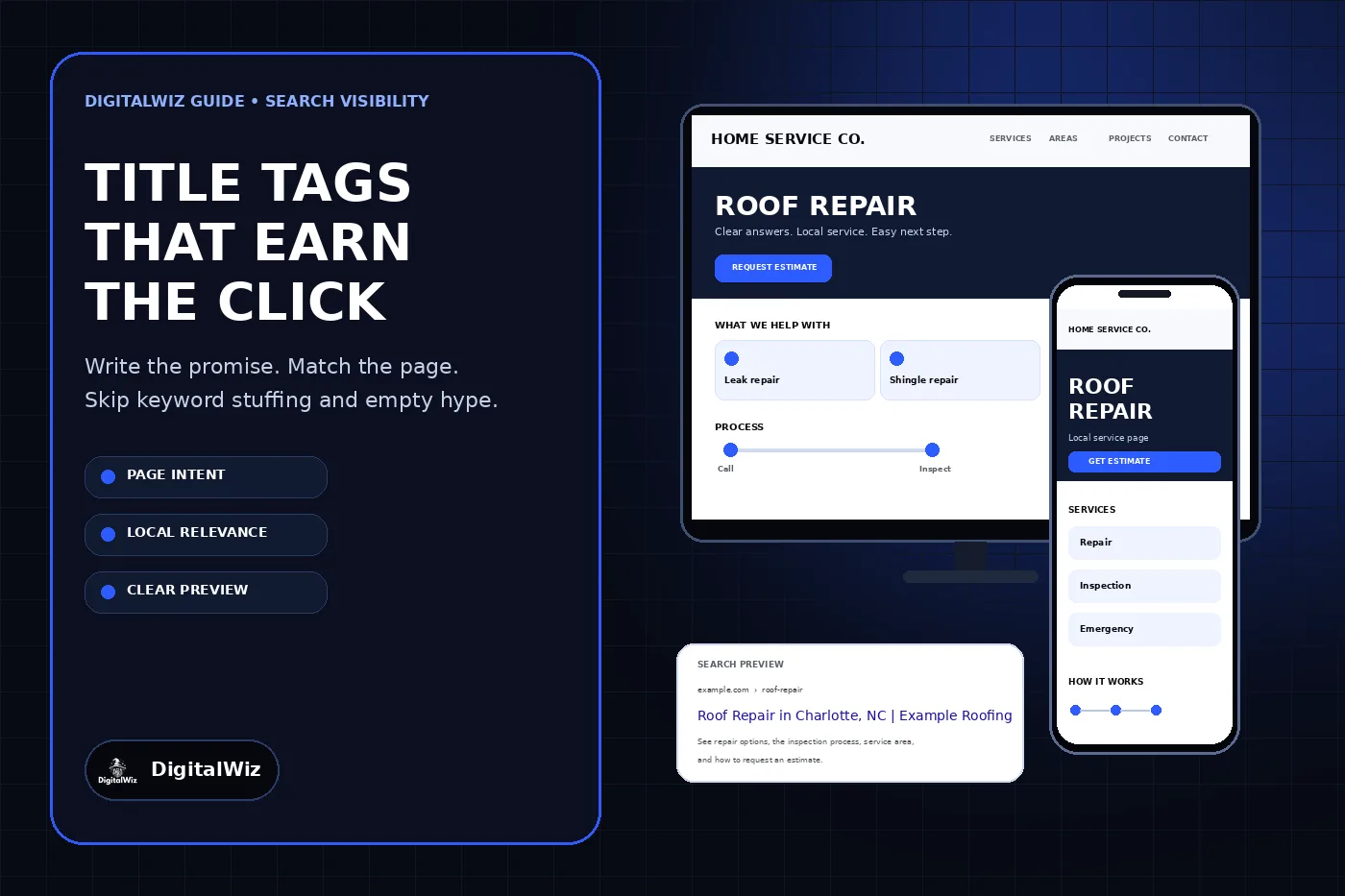
Do not build either field from a string of keyword variations. A title such as “Roof Repair, Roof Fixing, Roofing Repair, Roofers Charlotte” is hard to read and does not clarify the page. A cleaner version is “Roof Repair in Charlotte, NC | Example Roofing.” The visible H1 can be more conversational—“Roof Repair for Charlotte-Area Homes”—as long as the title, heading, and page answer describe the same intent.
There is no universal character count that guarantees a title or description will display in full. Google says title links and snippets are shortened as needed to fit the device. Prioritize the useful words, check the rendered result, and treat any preview tool as an estimate rather than a pixel-perfect promise.
The website and search preview in the article image are illustrative, not a client website, ranking result, or performance claim.
- One page, one clear search intent
- Service and location only when the page genuinely serves both
- A distinct title and description for each important page
- No invented offers, credentials, response times, prices, or proof
- A final check against the visible H1 and actual page content
Start with the page purpose, not a keyword formula
Before writing metadata, finish this sentence: “This page helps a person who needs ___ in ___ understand ___ and take ___ as the next step.” If the blanks require several unrelated services or a long list of cities, the page itself may be too broad. Metadata cannot rescue a page with no clear purpose.
For a core service page, the answer might be: “This page helps a homeowner who needs roof repair in Charlotte understand the repair scope, inspection process, service area, and how to request an estimate.” That gives the title a subject and geographic qualifier. It also tells the description which page details are worth previewing.
Do not add a city merely because a keyword tool suggests it. Use the location when the business actually serves it and the page contains useful location-specific context. A page that swaps only the city name while everything else stays the same is a content problem, not a metadata strategy. If one regional service page already answers the need, keep the title honest about that scope rather than creating a stack of near-identical pages.
Build a title that identifies the page quickly
A practical title order for many local service pages is “Primary service in real service area | Business name.” It is a starting pattern, not a mandatory formula. A page about a specialized decision, price question, or emergency may need a different lead phrase because that phrase better describes what the page actually answers.
Put the differentiating information early. “Roof Repair in Charlotte, NC | Example Roofing” is clearer than “Example Roofing | The Best Full-Service Local Roofing Professionals for Charlotte and Surrounding Areas.” The second version spends its opening words on the brand and makes an unsupported quality claim before explaining the page.
Google's title-link guidance recommends descriptive, concise, distinct titles and warns against keyword stuffing and repeated boilerplate. Google can form a title link from more than the title element; it may also consider the visible main title, headings, prominent text, Open Graph title, and link text. That is why a clean title element should be paired with one obvious H1 and a page that keeps the same promise.
Include the brand when it helps a customer recognize the result and there is room to keep the page topic clear. On a homepage, the brand may reasonably lead. On a service page, the service usually deserves the strongest position. Avoid adding the same long slogan to every title, especially when it pushes the unique part of each page out of view.
- Weak: Home | Example Roofing
- Weak: Roof Repair Roofing Company Roofers Charlotte NC
- Clear: Roof Repair in Charlotte, NC | Example Roofing
- Clear question page: Repair or Replace a Roof? | Example Roofing
- Clear regional page: Commercial Roofing Across the Charlotte Area | Example Roofing
Write the meta description as a truthful preview
The description should help the right visitor decide whether the page is useful. State what the page covers, include a genuine differentiator only when the page proves it, and end with a natural next step. Do not promise a free estimate, same-day service, financing, a warranty, licensing, or a service area unless those facts are current and visible on the page.
For the example service page, a grounded description could be: “Need roof repair? See repair options, the inspection process, service area, and how to request an estimate from Example Roofing in Charlotte.” It previews the information instead of claiming rankings, speed, savings, or customer outcomes.
Google's snippet guidance says snippets are primarily created from page content and may use the meta description when it is a more accurate summary. That means your description is a suggestion, not a command. Google may show different text for a particular query when another passage from the page answers that search better.
Use a unique description for each important page. Do not duplicate a generic line such as “We provide quality service at affordable prices—call today” across the whole site. If a page has nothing specific enough to summarize, improve the visible page before polishing its hidden description.
Keep the title, H1, and opening answer aligned
The title tag and H1 do not have to match word for word. They do need to describe the same page. The title is a compact label for search results and browser tabs; the H1 is the visible headline that orients the visitor. A useful pairing keeps the intent stable while allowing the H1 to sound more natural.
If the title says “Emergency AC Repair in Charlotte” but the page offers only routine maintenance requests, the mismatch is the problem. If the title says “Deck Builder in Matthews” while the H1 and body discuss patios across the Carolinas, the page sends mixed signals to customers and search systems. Rewrite the page or narrow the metadata; do not hide the inconsistency behind synonyms.
The opening paragraph should deliver the promised answer without a long company introduction. Follow it with service scope, who the service is for, relevant process and pricing context, verified proof, service boundaries, and the next step. For a broader structure check, use the DigitalWiz guide to local service website pages and connect the page to the appropriate Search Visibility service.
Audit what searchers and crawlers can actually see
Check the rendered HTML rather than trusting a CMS field label. Confirm the preferred URL returns a normal success response, the page has one clear title element and main H1, the canonical points to the intended URL, and the page is not accidentally blocked from indexing. View the mobile layout too; a good search preview cannot compensate for a page that is unreadable or hides the next step.
Search for the page after Google has had a chance to recrawl it, and inspect the URL in Search Console when you have access. A rewritten title link is not automatically an error. Compare Google's displayed wording with the title element, H1, other prominent headings, internal anchor text, and the query. Rewrite only when the current signals are vague, repetitive, misleading, or inconsistent.
Measure the result with context. Search impressions and clicks can change because rankings, demand, device mix, query mix, and competitors changed—not only because one title changed. Record the old metadata, publish one deliberate revision, annotate the date, and review page-level Search Console data over a meaningful period instead of claiming an instant win from a single screenshot.
- Is the title unique, descriptive, and readable without a keyword list?
- Does the H1 make the same promise in natural language?
- Does the opening content answer that promise immediately?
- Does the description summarize visible, current information?
- Are service area, offer, credential, price, and timing claims verified?
- Do the canonical URL, internal links, sitemap, and social metadata identify the same preferred page?
A repeatable editing pass for every important page
First, name the page's single primary job. Second, draft the title without looking at a character counter. Third, remove repeated words, vague superlatives, and anything the page does not prove. Fourth, write one or two description sentences that preview the useful details. Fifth, compare the title, H1, opening answer, canonical, and internal links side by side.
Then preview the result at desktop and mobile widths, but do not force awkward wording just to make a preview tool turn green. Google does not publish one fixed title or description character limit for ordinary search results. Clear language and accurate page-specific information matter more than hitting a third-party score.
Need a page-by-page search preview and content alignment review? Run the free BizScore audit or contact DigitalWiz. DigitalWiz can map the titles, descriptions, headings, canonicals, and page intent that should be fixed first without turning every service and city into a duplicate template.